


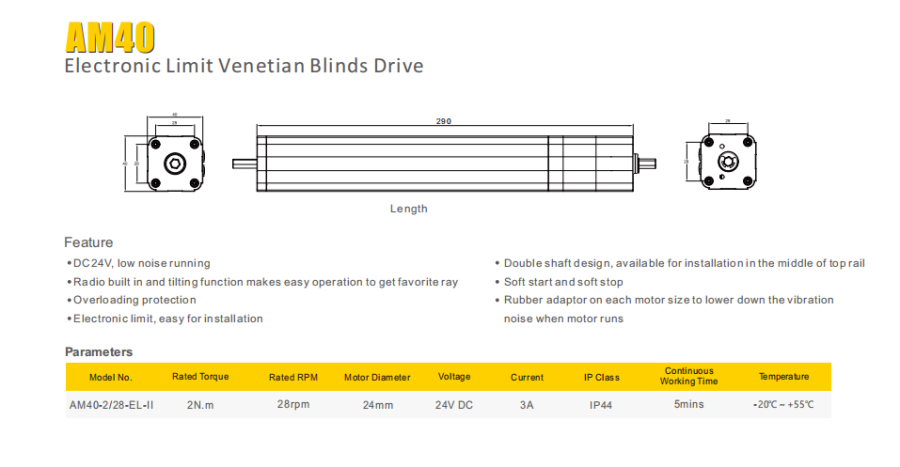
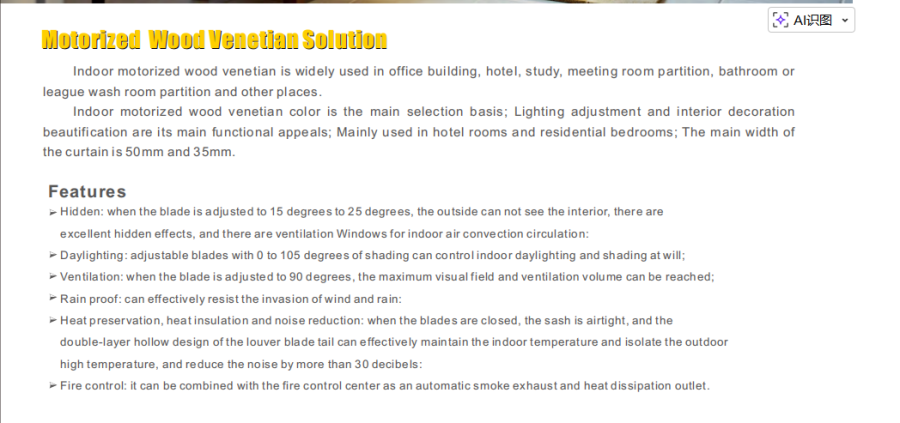
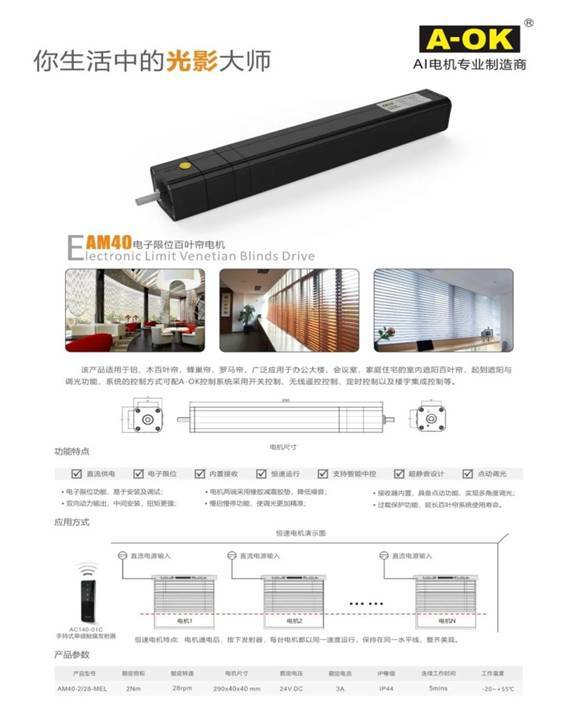
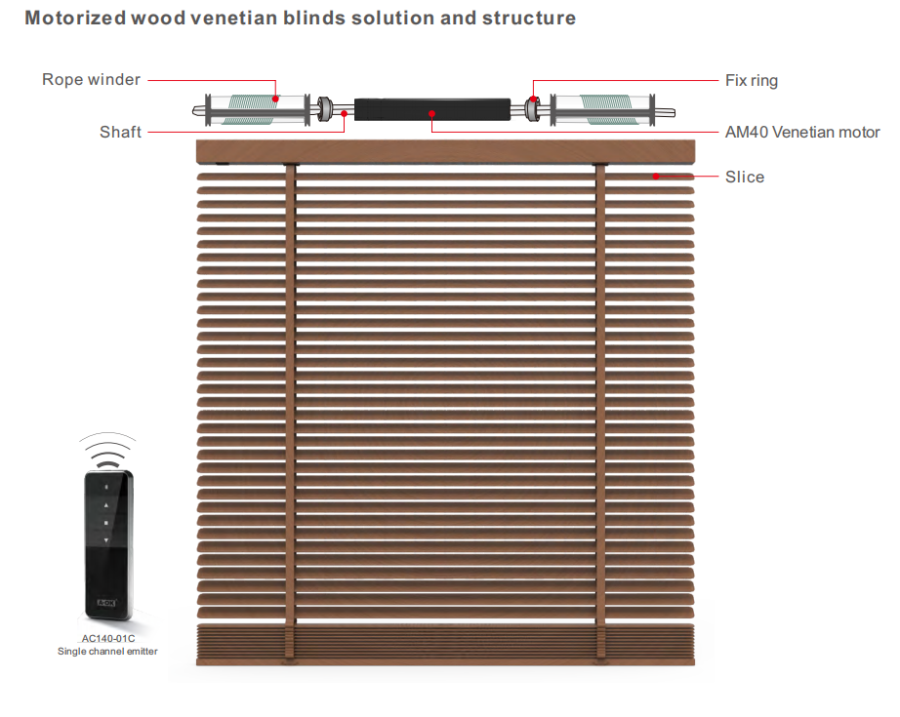
AM40 Silence Venetian Blind


Details


Attention
Installation Note:
When installing, pay attention to the antenna placement. Avoid metal objects blocking the antenna, as this may affect the wireless signal reception.
---
### Product Operation Instructions
**Enter Pairing Mode:**
a. Press the pairing button for 1 second — the motor will jog left and right once, indicating it has entered pairing mode.
b. Press the stop button on a transmitter that has already been paired for 5 seconds — the motor will jog left and right once, entering pairing mode.
Note: Any transmitter can be used to teach new codes.
**Pairing:**
In pairing mode, press the up button on the transmitter you want to pair once — the motor will jog left and right once, indicating successful pairing.
**Jog / Continuous Mode Switch:**
In pairing mode, press the stop button on the transmitter once — the motor will jog left and right once, switching between jog and continuous mode.
Note: The motor defaults to jog mode. Switch to continuous mode if needed. In continuous mode, if the motor has not yet set its upper and lower limit positions, it will still operate in jog mode; it also remains in jog mode during limit setting.
**Direction Reversal:**
In pairing mode, press the down button on the transmitter once — the motor will jog left and right once, indicating successful direction reversal.
**Delete Single Code:**
In pairing mode, press the back button on the transmitter once — the motor will jog left and right once, indicating successful deletion of a single code.
**Delete All Codes:**
a. Press and hold the pairing button for 7 seconds — the motor will jog left and right twice, indicating all codes have been deleted.
b. In pairing mode, press and hold the back button on the transmitter for 7 seconds — the motor will jog left and right twice, indicating all codes have been deleted.
**Note:** Once the motor enters pairing mode, it will automatically exit if no operation is performed within 10 seconds.


