
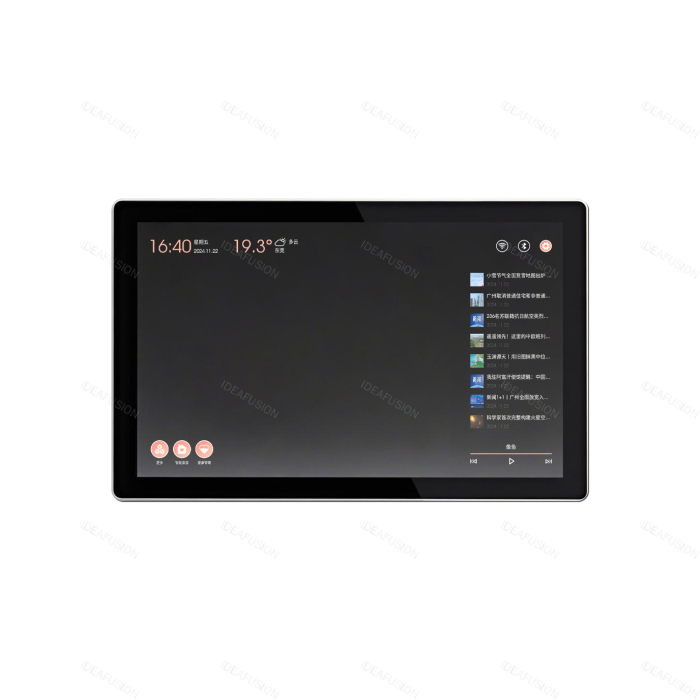


Central Control Smart Mirror

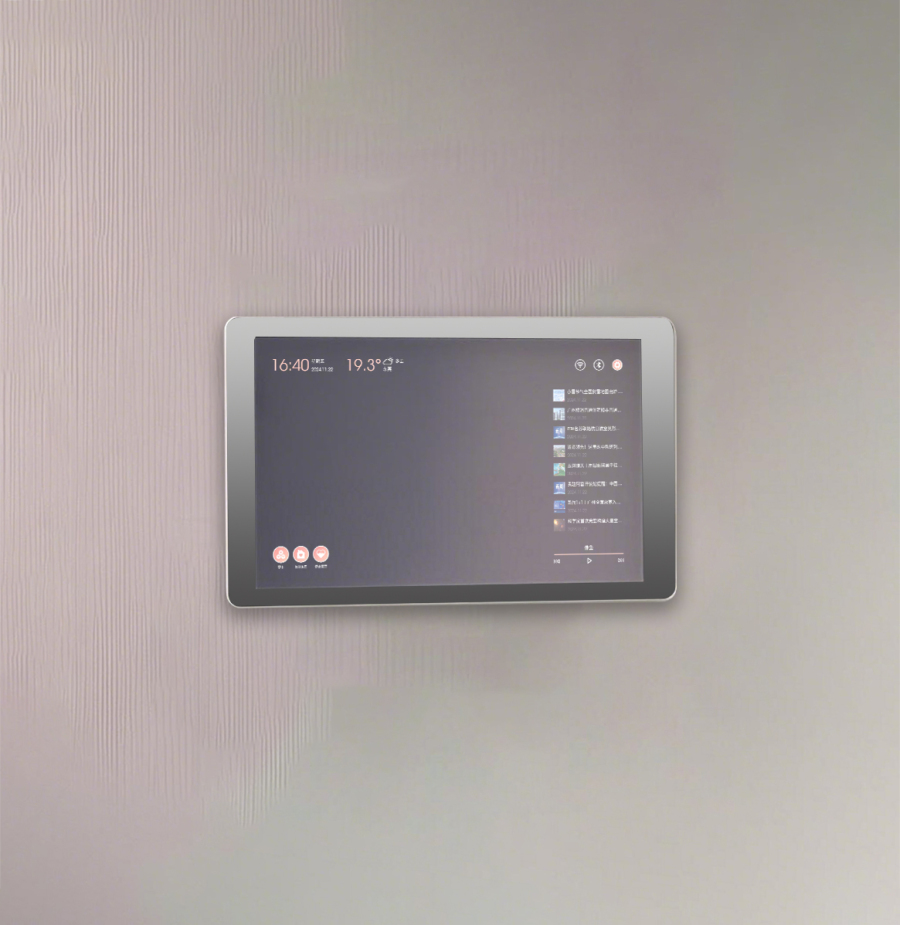
Details
Central Control Smart Screen
Central Control Intelligent Screen
The Central Control Smart Screen is an innovative touchscreen product that integrates smart home control, video intercom, security monitoring & alarm, smart community connectivity, lifestyle services, and information updates into one device.
Basic Functions
Touch control, customizable UI, weather display
Lifestyle services, message notes, time & calendar
Custom Functions
Video intercom, security management, video surveillance
Elevator calling, information management, home control
Custom Integrated Functions
* 1. Security Protection Hub
Integrated with video intercom platform
Core security: doorbell reminder, video intercom, multi-indoor unit intercom
Whole-property monitoring: supports wireless detector integration, eight wired zone alarm
Smart coordination: real-time security monitoring feedback, triggering alarm linkage
*2. Whole-Home Smart Control
Integrated with smart home platform
Device cluster management: one-stop control
Scenario-based interaction: voice/touch commands to execute home modes
*3. Community Service Connectivity
Integrated with property management platform
Visitor access: remote granting of temporary entry permissions
Information exchange: real-time receipt of community notices, property work order progress
*4. Building Ecosystem Linkage
Integrated with elevator control platform
Smart elevator calling: automatically call elevator to designated floor upon visitor authorization
Security enforcement: restricts unauthorized floor access, supports VIP elevator priority
Customizable Mirror Central Control Screen
Can be used as an entryway indoor station or smart home central control panel, and can also complement interior decor styles. The unique mirrored display allows expansion into fitness & health, entertainment & gaming, virtual try-on, and more.
Basic Color Options: Black, Mirror
Technical Specifications
Display: 10.1/13.3/15.6/21.5 inches
Resolution: 1280*800/1080*1920
Operation: 10-point touchscreen
Interfaces: DC/RJ45*2 NMIFI/BT/RS485/GPIO-8/OTG-USB/USB2.0/UBOOT/MIC
Working Voltage: DC12V=2A/DC12V=3A
Dimensions: custom sizes available
Installation: Wall-mounted (mounting bracket included)
Product Features
☑ High-reliability design
☑ Compact structural design
☑ Multiple installation options (wall-mounted / embedded)
☑ Low-voltage DC power supply
Attention
Smart Mirror Maintenance Guide & Precautions
The Smart Mirror blends high technology with practical aesthetics. Proper care and correct usage are essential to ensure long-term stable operation and optimal performance.
Here are the key points for your reference:
I. Daily Cleaning
1. Mirror Surface Cleaning: The mirror surface is the core display area and should be cleaned regularly to maintain clear visibility. Use a soft, lint-free microfiber cloth and gently wipe the mirror. Avoid rough fabrics that may scratch the surface. For stubborn stains, apply a small amount of mild glass cleaner onto the cloth, then wipe the mirror. Never spray cleaner directly onto the mirror surface, as liquid may seep into internal components and cause damage.
2. Frame Cleaning: Wipe the frame with a damp cloth to remove dust and dirt. Be careful not to use an overly wet cloth to avoid moisture seeping into the gaps. For metal frames, avoid cleaners containing corrosive chemicals to prevent corrosion that could affect appearance and structural integrity.
II. Operating Environment
1. Temperature & Humidity: The Smart Mirror is suitable for use in normal room temperatures, with an ideal range of 10°C – 35°C (50°F – 95°F). High temperatures may cause internal electronic components to overheat, leading to performance degradation or even damage; low temperatures may affect battery life and screen display. Humidity should be maintained between 30% – 80% RH. Excessively humid environments can easily cause condensation inside the mirror, leading to short circuits. Avoid installing the Smart Mirror in areas with extremely high humidity and drastic temperature changes, such as bathrooms. If unavoidable, ensure good ventilation to reduce humidity impact.
2. Avoid Direct Sunlight: Prolonged exposure to direct sunlight accelerates mirror surface aging, causes display color distortion, and raises the temperature of internal components. Install the Smart Mirror in a backlit or softly lit indoor location to prevent direct sunlight from shining on the mirror.
III. Electrical Safety
1. Power Connection: Use the original power adapter to supply power to the Smart Mirror. Non-original adapters may have mismatched output voltage/current, which can damage the device. Ensure the power plug is firmly connected to the socket to avoid looseness that could lead to poor contact, sparks, and safety hazards. If the plug or power cord shows signs of damage or aging, stop using it immediately and contact a professional for replacement.
2. Thunderstorm Weather: During thunderstorms, it is recommended to unplug the power cord to prevent lightning damage to the Smart Mirror. Lightning can conduct powerful current through power lines, destroying internal circuits and causing irreversible damage.
IV. Software Maintenance
1. System Updates: Regularly check for and install updates to the Smart Mirror’s operating system and applications. Software updates often include performance optimizations, feature enhancements, and security patches, helping to improve device stability and user experience. The device typically sends a notification when an update is available; simply follow the prompts to complete the update.
2. Data Backup: If the Smart Mirror has data storage functions, such as recording user health data, it is recommended to perform regular data backups. You can back up important data by connecting an external storage device or using cloud storage services, to prevent data loss in the event of device failure or system reset.
V. Additional Precautions
1. Avoid Impact: Although the Smart Mirror has certain protective designs, it should still avoid external impact. Strong impact may shatter the mirror, loosen or damage internal components, and affect normal use. Handle with care during transportation and cleaning.
2. Professional Repair: If the Smart Mirror malfunctions, such as screen not turning on or touchscreen unresponsive, do not attempt to disassemble and repair it yourself. The internal structure is complex, and unprofessional operation may cause more serious damage. Contact product after-sales customer service promptly, send the device for repair as instructed, and let professional technicians inspect and repair it.


